Luna Casino Mobile: App and Browser Experience
 Available in GB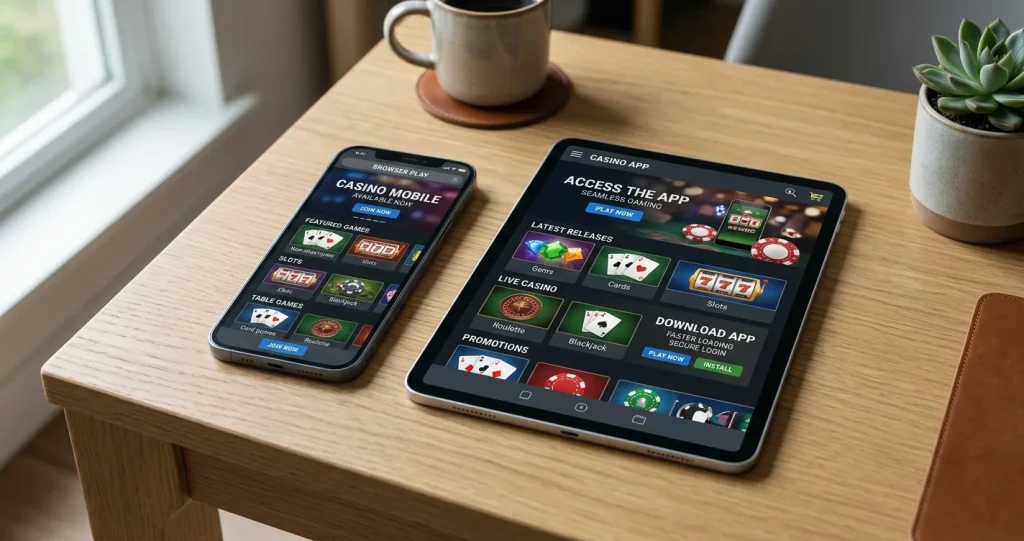
Luna Casino mobile guide
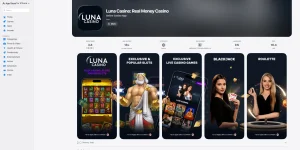
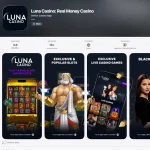
Luna Casino works on phones and tablets through a mobile-optimised browser site, so UK players do not need to install an app simply to access the casino. Luna’s current UK mobile page explicitly presents browser play as a no-download route: open the site on a compatible mobile browser, sign in and use the casino from there. Separate iOS and Android apps are also currently listed in the major app stores, but browser access remains the simplest fallback if an app is unavailable for a particular device or operating-system version.
The practical choice is therefore not “mobile or no mobile” but browser versus app. The browser route is easier when you want immediate access without installation, while the native app can be convenient if you prefer a dedicated icon and app-store updates. Your account, games and payment access are tied to the same Luna service rather than to a separate mobile-only casino.
Table of Contents
- Can you play Luna Casino in a mobile browser?
- Browser versus app: the practical differences
- What carries over from desktop to mobile?
- How well suited is Luna to smaller screens?
- Do you need the Luna Casino app?
- Mobile login and account access
- Mobile payments and cashout checks
- Which route is better on a phone or tablet?
- What to test before relying on mobile play
- Why Luna’s browser version may be enough on mobile
- Luna Casino Mobile: App and Browser Experience
Can you play Luna Casino in a mobile browser?
Yes. Luna’s current UK mobile page says the casino is optimised for phones and tablets and specifically states that no app download or lengthy install is required for browser play. That makes the mobile website the most universal route because it does not depend on finding a particular app-store listing first.
In practice, browser access is useful for three reasons. First, it starts from the same web address you would use on desktop. Second, it avoids storage use and manual app updates. Third, it remains available when an app is not compatible with a particular device or has been removed from a regional store.
If you mainly want to browse games, check your account or move between casino sections without adding another application to your phone, the web version is the most straightforward option.
Browser versus app: the practical differences
| Factor | Mobile browser | Native app |
|---|---|---|
| Installation | No download required | Installed through an official app store |
| Access | Open the Luna site and sign in | Launch from a home-screen app icon |
| Updates | Changes arrive on the website automatically | Updates are distributed through the app store |
| Device dependence | Works through a compatible mobile browser | Depends on supported OS versions and store availability |
| Best fit | Players who want the simplest no-install route | Players who prefer a dedicated app experience |
Neither route changes the basic account you are using. The difference is how you reach Luna, not whether you are opening a separate brand or separate player balance. For the broader UK assessment of the operator, payments and account journey, see our Luna Casino review.
What carries over from desktop to mobile?
The useful expectation is continuity. Luna’s mobile material presents the phone and tablet experience as access to the same casino service, including slots, table games and live dealer content. A mobile user should therefore think in terms of the same account and catalogue adapted to a smaller screen rather than a stripped-down second product.
That continuity also matters for account tasks. If you already have an account, you sign in rather than creating a second mobile profile. Payment and withdrawal options remain account-level features, although the exact methods visible can depend on your account and current cashier configuration. Our guide to Luna Casino payment methods covers those options separately.
Game availability can still vary by account, country and device. Luna’s own public material warns that some game images shown while logged out may be illustrative, so a specific game should be checked in the live lobby rather than assumed from a marketing page.
How well suited is Luna to smaller screens?
A mobile casino has to solve more than basic page resizing. Menus need to remain usable with touch controls, game tiles need enough space to select accurately, and important account functions should not disappear behind desktop-only layouts. Luna’s UK site describes the mobile version as fully optimised and promotes direct browser access from phones and tablets.
For day-to-day use, the best test is practical rather than promotional. Open the game lobby, search for a title, launch a game in portrait and landscape where supported, and make sure navigation back to the cashier or account area remains clear. A responsive site is useful only if the actions you actually use are easy to reach.
The broader catalogue is covered in our Luna Casino games guide, while the Luna Casino slots page focuses specifically on reel games and UK slot rules.
Do you need the Luna Casino app?
No. The app is optional because the official mobile page provides a browser route without a required download. This is especially useful for players who do not want another app, use a shared device, have limited storage or simply prefer to keep gambling sites inside the browser.
An app becomes more attractive when you use Luna frequently and value a dedicated launch icon or app-store managed updates. The important point is to get it only from a legitimate store listing rather than from an unofficial download mirror. The current Luna Casino app guide covers verified iOS and Android availability and the safest download route.
Mobile login and account access
If you already have a Luna account, mobile access should use the same sign-in credentials rather than a new registration. This reduces unnecessary account duplication and keeps your account history in one place. If a saved password or autofill tool is used on your device, check that you are on the genuine Luna site or official app before entering credentials.
On a shared phone or tablet, logging out after a session is sensible. Device-level protections such as a screen lock, biometric access and an up-to-date operating system are also relevant because a mobile device can contain both account and payment-related information.
These are general device-security habits rather than Luna-specific guarantees. They matter because convenience is one of mobile gambling’s strengths, but the same convenience can create risk if a device is left unlocked or credentials are stored carelessly.
Mobile payments and cashout checks
Using Luna on mobile does not remove the need to check the cashier carefully. Payment methods can vary by account and availability, and UK rules also matter. Credit cards are not permitted for gambling payments in Great Britain, so players should not expect to use a credit card simply because they are accessing the cashier from a phone.
Before depositing or withdrawing, confirm the method actually shown inside your logged-in cashier and review any verification request that appears. For cashouts, Luna may need identity checks before funds are released, so a mobile browser or app should be treated as an access route rather than a shortcut around normal account controls.
Which route is better on a phone or tablet?
- Choose the browser if you want immediate access without installing anything.
- Choose the app if you use Luna frequently and prefer a dedicated icon and store-managed updates.
- Use the browser as the fallback if your device is not compatible with the current app-store version.
- Avoid unofficial APK or download sites because they are unnecessary when the official browser route already exists.
- Check the live lobby after login if one particular game is important to you, because catalogue availability can change.
What to test before relying on mobile play
A short practical check tells you more than a generic claim that a site is mobile friendly. Sign in on the device you actually plan to use and confirm that the navigation, search, cashier and account controls remain easy to reach without constant zooming. Then open one game from the category you normally play and check whether portrait or landscape orientation feels comfortable.
It is also worth testing the route back out of a game. On a small screen, the most frustrating problems often appear when a full-screen game makes it difficult to return to the lobby or account area. A good mobile experience should make that transition obvious and should not force you to restart the browser session.
If you switch regularly between phone, tablet and desktop, consistency matters more than novelty. Use the route that lets you recognise the same account areas and find the same core functions with the least friction.
Before choosing between browser and app, test the tasks you expect to use most often on a phone: opening the cashier, reaching account settings, finding a game and returning to the lobby. The better route is the one that keeps those actions clear on your own device without adding unnecessary installation or storage overhead.
Why Luna’s browser version may be enough on mobile
Luna’s strongest mobile advantage is that the browser route does not require an install and can be opened directly on a phone or tablet. The native apps remain useful for players who prefer a dedicated application, but they are an alternative rather than a prerequisite. If you value simplicity, low storage use and immediate access, start with the mobile website.
If you later decide you want an app, use only the current Apple App Store or Google Play listing for your device. For the wider operator, bonus and account context, use the Luna Casino review so the mobile experience is judged alongside payments, bonuses and account controls.